
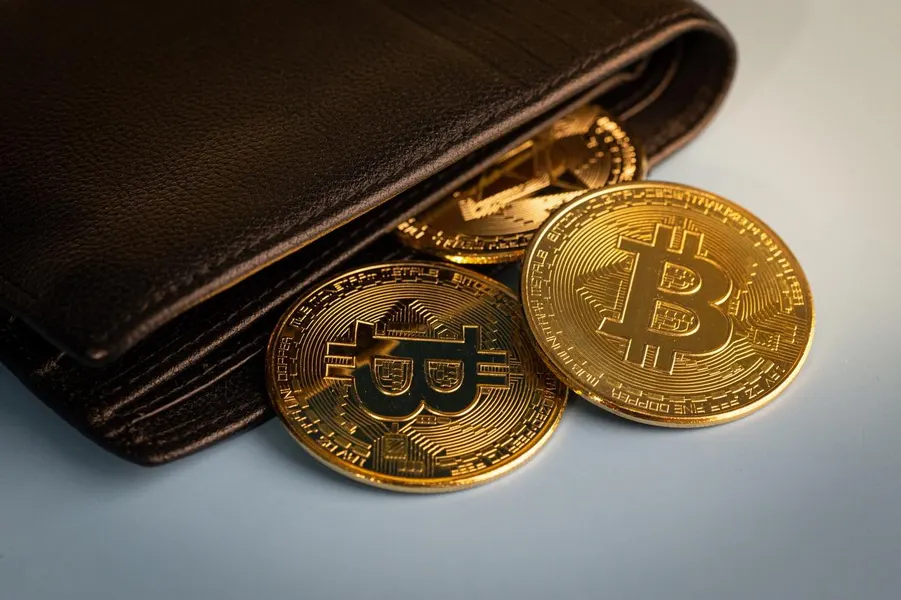
Crypto Wallet Philippines: How to Choose and Secure Your Assets
A Crypto Wallet Philippines is a digital tool that lets you store, send, and receive virtual assets, and you can choose between software apps on your phone or physical hardware devices for extra security. These services operate globally, though you’ll need to link them to a local exchange to convert your pesos into crypto and back again.
Selecting the best crypto wallet in the Philippines
Selecting the best storage method depends on how much money you keep and how often you plan to trade. If you’re a casual user, a mobile app is usually enough, but heavy investors often prefer hardware because it keeps keys offline.
Assess your security needs. Decide if you want convenience for daily spending or high-level protection for long-term savings.
Select your wallet type. Pick etween a software wallet, which is free and easy to use on your phone, or a hardware wallet, which costs money but is much safer.
Download or purchase. Get the app from the official store or order the hardware device directly from the manufacturer’s website.
Write down your recovery phrase. This is a series of words that lets you restore your account if your phone breaks or your device is lost.
Back up your data. Store this phrase in a secure, physical location that no one else can access, as anyone with these words can steal your funds.
Comparison of storage methods
The following table highlights the main differences between the storage options available to users in the country.
Why security matters for your digital assets
Protecting your private keys is the most important part of owning digital money. Because there’s no bank to call if you lose your password, you’re the only person who can recover your balance. The Bangko Sentral ng Pilipinas provides guidelines on how users should manage their virtual asset service providers to ensure they’re dealing with licensed and regulated entities. Using a regulated exchange adds a layer of safety against scams.
Common mistakes that lead to loss
Many users lose their funds because they fail to store their recovery phrases correctly. Never screenshot these words or store them in cloud email, as hackers can easily search for them. Another mistake is using a wallet that hasn’t been updated in a long time. Always keep software current to fix security holes. If you suspect your device is compromised, move assets to a new wallet immediately.
Is it safe to store large amounts of crypto?
Storing large amounts of crypto is safe if you use a hardware wallet and keep your recovery phrase offline. You shouldn’t keep significant sums in a software wallet or on an exchange for a long period, as these are more vulnerable to online threats.
Do I need a local bank account?
Yes, you need a local bank account or a digital wallet like GCash or Maya to convert your pesos into crypto. Use these services to buy assets on an exchange before transferring them to your wallet.
What happens if I lose my phone?
If you lose your phone, recover assets using your backup recovery phrase. Install the app on a new device and enter your phrase to regain access.
Before you move your assets, double-check that you have written down your recovery phrase on paper and stored it in a safe place.
Frequently Asked Questions
How do I fix a transaction that’s stuck or pending?
Stuck transactions are usually caused by network fees that are too low to attract validators. You can wait for traffic to decrease or use your wallet’s “speed up” feature to resend the transaction with a higher fee. Note that replacing a transaction is only possible before it’s confirmed.
What if I send my assets to the wrong address?
Sending crypto to the wrong address is permanent because blockchain transactions can’t be reversed. Always verify the first and last four characters of the destination address before sending. If the address is valid but belongs to someone else, the funds are unfortunately lost.
Are there extra fees when moving funds between wallets?
Yes, every time you move assets from an exchange to a private wallet or between two wallets, you pay a network fee. This fee fluctuates based on how busy the network is at that exact moment. You should monitor these costs, as sending small amounts frequently can eat into your total balance.
| Transfer Type | Estimated Cost | Speed |
|---|---|---|
| Exchange to Wallet | Variable | 10–60 minutes |
| Wallet to Wallet | Variable | 5–30 minutes |
| High-Traffic Period | Very High | 1–4 hours |
What should I do if I suspect a hack?
If you see unauthorized activity, move all remaining assets to a new wallet with a fresh recovery phrase immediately. You must assume your current device is compromised and the private keys are exposed. Don’t attempt to clean the old wallet, as it’s no longer secure.
Can I use a hardware wallet with my mobile phone?
Yes, many modern hardware wallets support Bluetooth or USB-C, allowing you to manage assets directly from your phone. This setup provides mobile convenience while keeping your private keys stored on the physical device. Always ensure you’re using the manufacturer’s official app to avoid security risks.
Why is my balance not showing up after a transfer?
If your balance shows zero after receiving funds, your wallet may simply be out of sync with the blockchain. Check your address on a public blockchain explorer to confirm the transaction status. If the explorer shows the funds, your assets are safe and the issue is only with your display.
Conclusion
Starting your journey doesn’t have to be overwhelming, so take your time exploring the options that fit your needs. Once you’ve picked a secure platform, try moving a small amount of money to get comfortable with the process. You’ll find that managing your digital assets becomes much easier as you go.

Andres Mateo
Andres Mateo is a fan of McDo Philippines as he has been eating at the restaurant for the last 18 year. He is a passionate writer who loves to write about everything offered at McDonald’s.